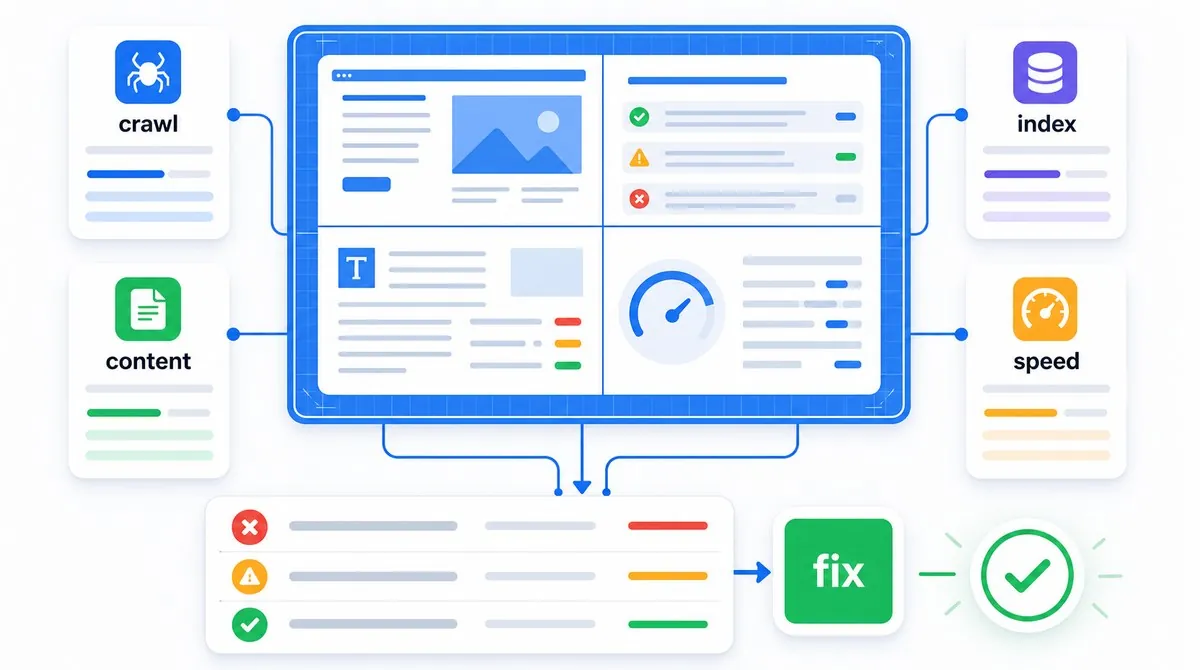
An SEO audit is a structured investigation of how a website can be discovered, crawled, rendered, indexed, understood and chosen in search. It combines technical evidence, search performance, content review and business context. The deliverable is not the crawl itself. It is a defensible plan for improving the site.
New to the technical side? Start with what technical SEO means and what to check first, then return here for the full audit workflow.
Google's Search Essentials separate eligibility, spam policies and practices that can improve search appearance. That distinction is a good model for an audit. First confirm that search engines can access and use the intended pages. Then investigate quality, relevance, experience and competitive opportunity.
What an SEO Audit Should Do
A good audit answers a sequence of questions. Can a crawler reach the intended public pages? Are those pages indexable? Which versions does Google treat as canonical? Does the site explain its topics and hierarchy clearly? Do the pages satisfy the tasks behind relevant searches? Can real visitors use them without avoidable friction? Which problems have enough evidence and impact to justify work?
A crawler can help collect evidence, but it cannot know every business rule. A product URL returning a 404 may be a serious mistake, an intentional retirement or a temporary inventory decision. A page excluded from Google's index may be broken, duplicated on purpose or simply not worth indexing. The auditor has to interpret the result.
A useful audit produces
- Reproducible evidence
- Affected templates and URL groups
- A cause, not only a symptom
- Impact tied to real goals
- An owner and practical fix
- A method for validating the change
A weak audit produces
- Hundreds of unfiltered warnings
- A score with no business meaning
- Best practices applied without context
- Guesses presented as confirmed causes
- Recommendations nobody can implement
- No plan to check whether fixes worked
The goal is not a perfect site. It is a site where important pages are technically eligible, useful to the intended audience and supported by clear signals. Google's SEO Starter Guide makes the same practical point: not every recommendation applies to every business, and no single change guarantees a ranking.
Step 1: Define the Audit Scope and Baselines
Start by writing down why the audit exists. A post-migration traffic loss, a new ecommerce launch, an indexation problem and a general growth review require different evidence. Without a question, the audit expands until every warning feels equally important.
- Define the site boundary. Record domains, subdomains, protocols, markets, languages, apps and staging environments that are in or out of scope.
- Name the priority areas. Identify revenue pages, lead pages, important content sections, templates and recent releases.
- Record known changes. Note migrations, redesigns, CMS updates, tracking changes, security events, manual actions and major content work.
- Choose comparison periods. Account for seasonality, release dates and reporting delays. Avoid comparing partial periods or unlike markets.
- Define success. Examples include restoring eligible URLs, improving qualified organic leads, reducing crawl waste or fixing a template-wide performance problem.
Capture a baseline before changing anything: organic clicks and impressions, indexed page patterns, conversions, important rankings, Core Web Vitals groups and representative crawl results. Annotate the date and source. This protects the analysis from vague memories and gives validation a reference point.
Step 2: Gather Evidence, Access and Tools
Use the smallest toolset that can answer the audit question. More exports do not create more certainty. For most sites, begin with:
- A normal browser and developer tools for final URLs, rendered content, network requests, console errors, mobile layouts and source-versus-DOM comparisons.
- Google Search Console for Google's search performance, indexing reports, sitemaps, URL Inspection, enhancements, manual actions and security findings. The Search Console setup guide explains the property and data boundaries.
- Analytics and conversion data for landing-page engagement and business outcomes, with consent and tracking gaps documented.
- A site crawler for internal URLs, status codes, directives, canonicals, headings, links, images and template patterns.
- A page-level inspector such as TechSEO Inspector for spot-checking one page's tags, headings, links and structured data.
- PageSpeed Insights and browser performance tools for real-user and lab evidence.
- The CMS, deployment history and server logs when implementation or bot behavior cannot be established from the public site.
Confirm that each data source covers the same site version. A URL-prefix Search Console property can omit another protocol or subdomain. Analytics can undercount because of consent, blockers or broken tags. Crawl data shows what the crawler encountered at one moment, not what Google historically saw. Search Console also documents that many reports use samples or limited example URLs, so absence from an export is not proof that a URL does not exist.
Build a representative URL set before crawling everything. Include the homepage, one or more URLs from every template, strongest organic landing pages, conversion pages, recently changed pages, pagination and filter examples, redirected legacy URLs and known problem cases. A sample makes manual validation possible and catches template differences early.
Step 3: Check Urgent Visibility and Safety Risks First
Do not spend the first hour rewriting titles if the site is unavailable, compromised or removed from search. Start with failures that can affect the whole property:
- Open the site as an anonymous user. Check HTTPS, certificate validity, unexpected login walls, redirect loops, downtime and whether the intended host resolves consistently.
- Review Search Console messages. Check the Manual Actions report and Security Issues report before interpreting a traffic loss.
- Check site-wide directives. Look for accidental
noindex, environment-wide robots rules, password protection and canonicals pointing to another host. - Review recent deployments. A release can change navigation, rendering, status codes, metadata or tracking across every template.
- Confirm measurement. If analytics or conversion tracking broke, a reported traffic or revenue loss may not match the user experience.
Document security and manual-action findings separately from ordinary SEO recommendations. They have different owners, validation steps and response urgency. Do not publish sensitive exploit details inside a broadly shared audit report.
Step 4: Audit Discovery, Crawling and Rendering
Search engines normally discover URLs through crawlable links and sitemaps, then request the page and its resources. The Google Search workflow guide explains the full pipeline. The audit should test each handoff instead of treating crawlability as one checkbox.
Discovery and internal paths
- Can every important page be reached through ordinary
<a href>links from the public navigation or relevant content? - Are valuable pages orphaned, linked only through internal search or hidden behind interactions that do not expose crawlable URLs?
- Does the XML sitemap contain canonical, indexable URLs that the site actually wants in search? The sitemap guide covers format and hygiene, and Sitemap Scout checks the listed URLs.
- Do pagination, category, faceted-navigation and international paths create a finite, useful crawl space?
Access and responses
- Review
robots.txtfor blocked pages and resources, conflicting groups, staging rules and obsolete directives. Remember that blocking crawling is not the same as requesting no indexing. See the robots.txt guide. - Classify status codes by intent. Important pages should normally return a stable 200. Redirects should reach one relevant destination without unnecessary chains. Removed pages need a deliberate response. The HTTP status guide explains the common cases.
- Check server errors, timeouts and intermittent failures across templates, not only the homepage.
- Confirm that CSS, JavaScript, images and API calls needed for primary content are accessible.
Rendering
For JavaScript sites, compare initial HTML, the rendered DOM and what Google's tools report. Primary copy, links, headings, canonicals and structured data should not depend on a failing user action or blocked request. Google's JavaScript troubleshooting guidance recommends URL Inspection or the Rich Results Test for rendered output and resources.
Do not infer Googlebot behavior from analytics alone. Client-side analytics can miss crawlers, and a browser crawl does not reproduce every server or rendering condition. Use server logs when the question is whether, how often or with which response a bot requested particular URLs.
Step 5: Audit Indexing, Canonicals and URL Control
A crawl proves that a URL was requested. It does not prove that the URL was indexed or selected as the representative version. Use Search Console's Page indexing report to review patterns, then use URL Inspection on representative examples.
- Define the intended index set. List the templates and URL types that should and should not appear in search.
- Compare intent with reported status. A non-indexed duplicate, redirect or utility URL may be correct. An excluded product category or service page may not be.
- Inspect representative URLs. Check crawl permission, fetch result, indexing permission, user-declared canonical, Google-selected canonical, discovery source and last crawl.
- Test live after changes. The indexed view can describe an older crawl. A live test can confirm access, but Google notes that it does not evaluate every indexing condition.
- Look for template causes. A shared canonical, header directive or parameter rule can affect thousands of URLs even when the report shows only examples.
Align canonical signals across redirects, HTML tags, HTTP headers, internal links and sitemaps. The canonical URL guide explains when to use a canonical, redirect or noindex. Do not use robots.txt as a substitute for removing a page from the index, because a blocked URL cannot reliably expose its indexing directive.
Aiming for every discovered URL to be indexed is not a useful goal. Google explicitly notes that non-indexed URLs can be legitimate, including duplicates, blocked pages and redirects. The audit should focus on mismatch: important pages excluded for the wrong reason, or low-value URL patterns consuming attention and crawl resources.
Step 6: Review Site Architecture and Internal Links
Architecture determines how people and crawlers move through the site, how topics relate and which pages receive persistent prominence. Exporting link counts is only the start.
- Trace key journeys. Can a visitor move from a broad hub to a detailed answer and a useful next action without returning to search?
- Find orphan and deep pages. Important URLs should not depend only on a sitemap or require an unreasonable number of clicks.
- Review anchors in context. Link text should describe the destination naturally. Repeated generic anchors make scanning and interpretation harder.
- Compare importance with links. Navigation, breadcrumbs, hubs and contextual links should support priority pages, not obsolete campaigns or thin filters.
- Check broken and redirected links. Update internal links to current destinations when practical rather than relying on redirect chains forever.
- Review duplicate routes. Parameters, mixed casing, trailing-slash rules and tracking values can create multiple internal paths to the same content.
The internal linking guide gives a complete process for crawlable links, anchor text, hubs and orphan-page detection. In the audit report, group findings by navigation component or template so developers can fix the source instead of editing URLs one by one.
Step 7: Review Content, Search Intent and On-Page Signals
Technical eligibility does not make a page useful. Once access and indexing are understood, review whether each important URL has a distinct audience, task and reason to exist.
- Map the page to a need. State who the page serves, what they want and what successful completion looks like. Use the search intent guide when the expected page type is unclear.
- Check topic ownership. Compare pages that target the same or closely related task. Consolidate only when the pages truly overlap, not merely because they share vocabulary.
- Review evidence and usefulness. Look for first-hand experience, clear explanations, accurate claims, examples, tools, policies, product details and the information needed to make a decision.
- Identify stale or unsupported claims. Prices, laws, software interfaces, specifications and statistics may require dates and sources.
- Check titles and headings. They should identify the page clearly, reflect the visible content and avoid boilerplate that makes many URLs indistinguishable.
- Review snippets and media. Descriptions should set a useful expectation. Images need meaningful alt text when they convey information and should not hide essential copy.
Use the keyword research workflow to compare the current page map with audience demand, then the on-page SEO guide to review titles, descriptions, headings and indexing directives. Do not grade content by word count. A short service page can be complete, while a long article can avoid the actual question.
Review performance by page group and query intent. A decline on one template may come from a technical change, weaker demand, stronger competitors, changed result features or content that no longer fits the task. Record competing explanations and the evidence that would distinguish them.
Step 8: Check Performance, Mobile Use and Page Experience
Test the experience people actually receive, not only a synthetic score. Open representative pages on a real phone, use the navigation and forms, accept or reject consent, trigger important interactions and check slow or unstable states.
- Start with field evidence. Search Console's Core Web Vitals report groups real-user data by mobile and desktop URL groups when enough data exists.
- Use lab tests for diagnosis. Identify the element, request or main-thread work behind LCP, INP or CLS issues. Do not treat one Lighthouse run as the user population.
- Test page templates. The homepage may be fast while product, article, search or checkout templates fail.
- Review mobile behavior. Check viewport width, tap targets, sticky elements, overlays, menus, forms and content hidden behind interactions.
- Check accessibility basics. Keyboard operation, focus visibility, labels, contrast and meaningful headings improve use and often reveal fragile implementations.
- Review third parties. Tags, chat tools, ads, consent managers and embeds can delay content, block interaction or shift the layout.
The Core Web Vitals guide separates field outcomes from lab diagnostics and lists fixes by metric. In an audit, connect each performance recommendation to a specific template, resource and user impact. “Improve page speed” is not an implementable finding.
Step 9: Check Structured Data and Search Appearance
Review how important pages identify themselves and whether their search enhancements are technically eligible. Check canonical titles, visible headings, indexable primary content, favicons, snippets and structured data together.
- Validate supported structured data with Google's Rich Results Test and inspect enhancement reports in Search Console.
- Confirm that markup describes visible page content and uses the most specific appropriate type.
- Check required and recommended properties against Google's current documentation rather than an old template.
- Do not invent ratings, prices, authors, dates or organizational details to fill fields.
- Remember that valid markup creates eligibility, not a guarantee that a rich result will appear.
Google's structured data policies require markup to represent the page accurately and remain visible to users. The schema guide explains practical JSON-LD choices and testing.
Search appearance also depends on content and query context. Google may generate title links and snippets from several page signals. Treat a rewritten title as a reason to review clarity and consistency, not as proof that a particular tag is broken.
Step 10: Turn Findings Into a Prioritized Repair Plan
An audit is complete only when somebody can act on it. Merge duplicate findings, separate confirmed problems from risks and observations, and write every issue in a consistent format:
- Finding: one plain-language description of the problem.
- Scope: affected URL, template, directory, market or site-wide component.
- Evidence: reproducible steps, exports, screenshots, response headers, rendered HTML or report data.
- Cause: confirmed implementation or the most likely explanation, clearly labeled when it is still a hypothesis.
- Impact: what the issue prevents for users, crawling, indexing, understanding, visibility or conversion.
- Recommendation: the desired behavior and enough technical detail for the owner to implement it.
- Validation: how to prove the fix in staging and after release.
Prioritize with four dimensions: likely impact, confidence in the diagnosis, affected scope and implementation effort or risk. A site-wide accidental noindex has high impact, high confidence and urgent priority. A minor description rewrite on a page with no impressions is usually lower priority. A large speculative migration may wait until a smaller test confirms the cause.
Evidence
Reproduce the behavior and identify the affected scope.
Decision
Connect the cause to user, search and business impact.
Roadmap
Assign the fix, sequence dependencies and define validation.
Sequence work by dependency. Fix access before requesting indexing, canonical rules before sitemap cleanup, template defects before URL-by-URL edits, and measurement before judging results. Keep a changelog so later performance can be compared with release dates.
Complete SEO Audit Checklist
Use this as the final coverage review
- Audit goal, site boundaries, priority templates and success measures are documented
- Baseline search, conversion, indexing and performance evidence is saved
- HTTPS, availability, manual actions, security issues and site-wide directives are checked
- Important pages have crawlable discovery paths and intentional sitemap coverage
- Robots rules, status codes, redirects, resources and rendered content are validated
- Intended indexation is compared with Page indexing and URL Inspection evidence
- Canonicals, redirects, internal links and sitemap signals agree on preferred URLs
- Architecture supports key journeys, topic hubs and priority pages without orphans
- Important pages have distinct intent, useful evidence and clear on-page signals
- Mobile use, forms, consent states, accessibility and Core Web Vitals are sampled
- Structured data represents visible content and passes current eligibility checks
- Every recommendation includes evidence, scope, impact, owner and validation
Want the Audit and the Fixes Connected?
I audit the full search pipeline, trace problems to the page or template that causes them and prioritize the work your team can actually implement. Because I also develop websites, the report does not stop at “ask a developer.” My technical SEO audit ($255, 2-day delivery) covers eight areas, from crawling to AI search readiness, with a developer-ready fix list. For a first look, my free review covers a small selection of your public pages, with up to five priority findings by email.
Request a free reviewSEO Audit: FAQ

I'm a developer who moved into technical SEO. I trace search problems through crawling, rendering, indexing, templates, content and performance, then implement the fixes instead of handing over a generic export. Request a free website review and I'll review your site personally.