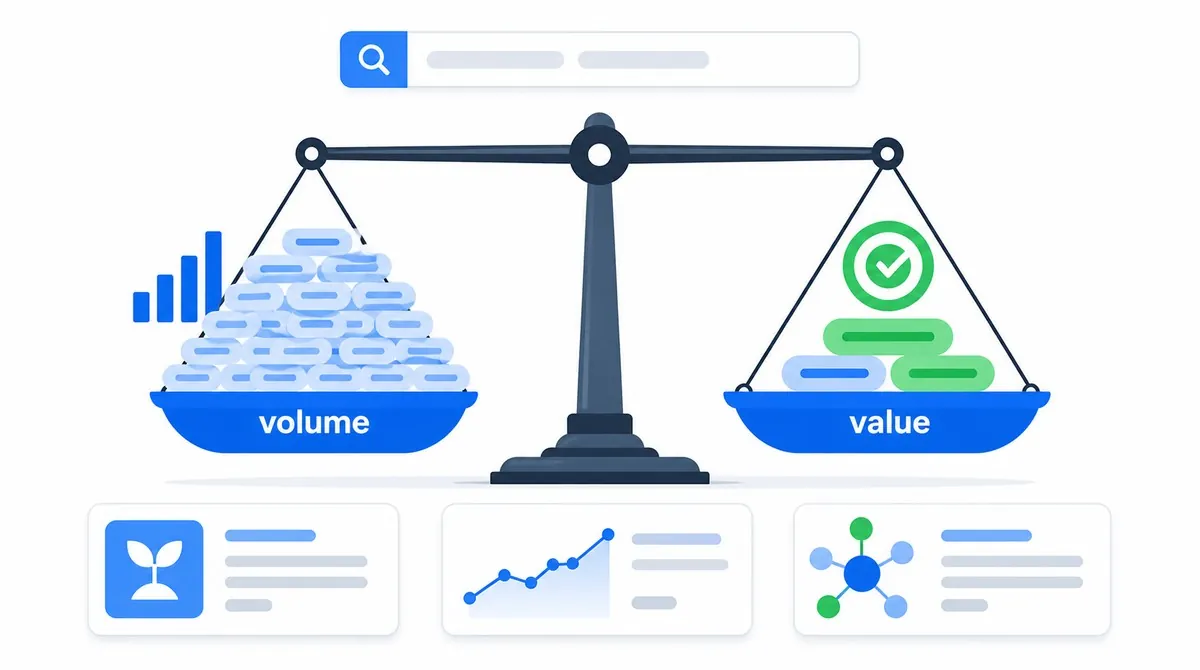
Keyword research is the process of finding how people search for needs related to your subject, deciding which needs are worth serving and mapping each one to the right page. It connects audience research, content planning and search data. A keyword tool can supply ideas and estimates, but it cannot decide what your business should publish.
A good outcome is not a file containing ten thousand phrases. It is a focused map: who is searching, what they want to accomplish, which topics matter, what page would help and why your version deserves to exist.
Keywords, Search Queries and Topics Are Not the Same Thing
A search query is the wording a person actually types or speaks. A keyword is the phrase an SEO team uses to represent one or more related queries. A topic is the broader subject or problem those queries belong to.
Imagine a business that provides technical SEO audits:
- Topic: diagnosing website search performance
- Keyword: technical SEO audit
- Related queries: what is a technical SEO audit, technical SEO audit checklist, how much does an SEO audit cost, hire technical SEO consultant
Those queries share vocabulary, but they do not all ask for the same result. One needs an explanation, one needs a process, one needs pricing guidance and one needs a service. Keyword research has to identify both the shared topic and the different tasks inside it.
Google's SEO Starter Guide recommends anticipating the different words experienced and new users may search. It also says Google's language-matching systems can connect a page to queries even when every exact variation is not written on the page. That is why a useful page can rank for many related searches without repeating a list of phrases.
Start Before You Open a Keyword Tool
A tool begins with the seed you give it. If the seed is disconnected from your audience or offer, the output will be a larger list of irrelevant ideas. Start by writing down what the site can credibly help with.
Start with real inputs
- Products and services you actually provide
- Problems customers describe before buying
- Questions asked in sales calls and support
- Tasks people complete with your product
- Terms beginners use and terms experts use
- Locations, industries or use cases you serve
Avoid weak starting points
- A competitor's entire exported keyword list
- High-volume phrases unrelated to the offer
- Topics chosen only because they are trending
- Every service rewritten as "best" plus a city
- Synonyms planned as separate thin pages
- AI-generated lists with no customer evidence
Turn those inputs into broad seed topics. A bicycle shop might begin with road bikes, bike fitting, repairs, helmets and commuting. A software company might begin with the jobs its product completes, the errors it prevents and the systems it connects to.
For each seed, ask six questions: What is it? How does it work? What problem does it solve? How do options compare? What could go wrong? What action would someone take next? The answers expose informational, commercial and transactional branches without forcing them into one page.
Where to Find Useful Keyword Ideas
No single source is complete. Combine first-party language, search behavior and tool estimates, then remove everything that does not fit the audience.
1. Search Console: queries already showing your site
For an established site, the Performance report is one of the most valuable starting points because it shows queries for which Google already displayed your pages. Open Queries, then compare impressions, clicks and CTR. Filter a query and switch to Pages to see which URL appeared.
Look for relevant queries with impressions but weak clicks, unexpected language, rising topics and pages receiving several related query variations. Google's current Performance report guidance recommends focusing more on trends in impressions and clicks than on average position alone.
Search Console is not a complete demand database. Google omits anonymized queries for privacy and stores only the most important rows in the interface. The chart can therefore contain activity that the query table does not list. If you are setting it up for the first time, use the Search Console setup walkthrough.
2. Customer language: sales, support and reviews
Write down the exact problems people describe before they learn your industry's terminology. Support tickets, sales-call notes, form submissions, product reviews and community discussions reveal objections, symptoms and use cases a generic tool may miss.
Protect private information and summarize patterns rather than copying personal messages. The goal is to learn the audience's vocabulary, not publish a customer's details.
3. Google results: visible needs and formats
Search your seeds and examine autocomplete, related searches, result features and the pages that appear. These surfaces can suggest wording and adjacent questions. They do not tell you that every suggestion deserves content or how many searches it receives.
Pay attention to the result type. A page of products, local results, videos or concise definitions is evidence about the likely task. Use the search intent framework to separate ideas that share words but need different pages.
4. Google Keyword Planner: ideas and advertising estimates
Keyword Planner can expand words or a website into ideas and provide estimated monthly searches and advertising costs. Set the correct location, language, network and date range before comparing results.
Remember its purpose: planning Google Ads campaigns. Its Competition and bid columns describe advertising conditions, not how difficult organic ranking will be. A high advertiser bid can suggest commercial value, but it does not prove that a topic fits your site or that an organic page is easy or hard to rank.
5. Google Trends: direction and seasonality
Use Trends to compare wording, examine seasonality and see whether interest is stable, rising or falling. Choose carefully between a search term and a topic. A term measures specific wording; a topic groups related searches around a concept.
Trends is relative, not absolute volume. Google normalizes each point for the selected time and place, then scales the series from 0 to 100. Two regions with the same score can have different total search counts. Google's Trends data explanation also notes that low-volume terms can appear as zero and that the data is a sample rather than a perfect mirror of all searches.
6. Third-party tools and competitor pages
SEO platforms are useful for discovering related phrases, questions, ranking pages and backlink patterns. Their volume, traffic and difficulty values are modeled estimates. Compare ideas consistently within one tool, then validate important decisions with the current results and your own data.
Competitors can reveal coverage gaps, but their plan is not automatically right for your audience. Study what task each page serves, what proof it provides and what readers still need. Do not copy headings or create a page only because another site has one.
How to Read Keyword Metrics Without Being Misled
Metrics reduce uncertainty. They do not remove the need for judgment. Every number depends on a provider's dataset, grouping rules, location, date range and update schedule.
Useful interpretation
- Volume: an estimate of relative demand
- Trend: direction and seasonality over time
- CPC: what advertisers may pay for clicks
- Difficulty: one tool's comparative estimate
- Impressions: how often your result was shown
- Current results: evidence of intent and competitors
Misleading conclusions
- Volume equals traffic you will receive
- Paid competition equals organic difficulty
- A zero means nobody searches
- Difficulty is a Google score
- Average position describes every query
- The highest-volume phrase must be the target
A keyword showing 5,000 monthly searches might be broad, ambiguous and far from your offer. A phrase showing 20 might describe a valuable problem you solve exactly. One qualified lead can matter more than thousands of visits from people who will never need the product or service.
Low-volume and long-tail queries are not automatically easy. They are often more specific, but strong specialist pages may already satisfy them. Likewise, a broad topic is not automatically impossible. The page type, intent, existing results, brand strength and your ability to add something useful all matter.
Group Queries by Intent, Not Just Shared Words
Clustering means deciding which queries can be served by one page. The best test is not whether the phrases contain the same noun. Ask whether the same person, answer, format and next action would satisfy them.
- Combine close variations when they ask for the same outcome.
keyword research guide,how to do keyword researchandkeyword research for beginnerscan belong on one practical guide. - Separate different tasks when the ideal page changes.
what is keyword research,keyword research templateandkeyword research servicemay justify an explanation, a downloadable resource and a service page. - Keep local needs distinct when location changes the result, availability or action.
- Use a hub when one broad seed contains several useful subtopics that each deserve depth.
Do not create separate URLs for singulars, plurals, word order or minor modifiers when one page can answer them naturally. Google's language systems do not require every variation to appear verbatim, and keyword stuffing violates its spam policies.
Inspect the Real Search Results Before Choosing a Topic
A volume estimate tells you that a phrase may be searched. The results page shows what Google currently considers useful for it. Search from the country and language you plan to serve, and check mobile when the experience or local context could differ.
- Identify the dominant page type. Are the results guides, products, categories, service pages, tools, videos, forums or local listings?
- Read the angle and depth. Do pages lead with a definition, steps, comparison, current news, first-hand experience or a direct action?
- Notice result features. Maps, products, videos, images and short answers can change both the expected format and available clicks.
- Check freshness. Dates matter for software, laws, prices, product models and current events. They may matter little for a stable definition.
- Assess the actual competitors. Compare the ranking page, not only the domain. Look at usefulness, specificity, evidence, reputation and links.
- Find the unresolved need. Note confusing explanations, missing examples, weak proof, stale details or an absent tool that your page can improve.
Do not reduce this review to domain authority. A strong domain can publish a weak page, while a smaller specialist can provide the clearest answer. At the same time, do not assume better writing alone overcomes a result set dominated by authoritative official sources for a sensitive or factual query.
How to Choose Topics Worth Targeting
A useful opportunity sits at the intersection of audience relevance, search demand, business value and a page you can genuinely make competitive. Score each candidate from weak to strong across these six questions:
- Audience relevance: Is this a real problem or goal for the people the site serves?
- Intent fit: Can the site provide the page type and outcome the current results suggest?
- Business value: Does satisfying this need support a product, service, subscription, trust goal or useful next step?
- Distinct value: Do you have experience, data, examples, tools or clarity that improve the available answers?
- Demand evidence: Do Search Console, customers, tools, Trends or visible search behavior show a meaningful need?
- Feasibility: Can the site compete with the result quality and authority, and can the page be maintained?
You can mark each dimension red, amber or green, or use a simple one-to-five scale. Do not let an average hide a fatal weakness. A topic with excellent volume but no audience relevance stays a poor choice. A valuable topic that needs data you cannot obtain may need to wait.
Useful
The topic represents a real audience task the site can satisfy.
Valuable
The answer can build trust, support a decision or lead to a fitting next step.
Feasible
You can create and maintain a result that deserves consideration.
Prioritization also depends on the site around the page. A new article linked from a relevant hub and supporting guides begins with more context than an isolated post. The internal linking guide explains how to build those paths without forcing links by quota.
Map Each Topic to the Right Existing or New Page
Already have several pages answering the same need? Use the keyword cannibalization workflow to check the evidence before merging them.
Before creating a URL, search your own site. An existing page may already serve the task and need improvement rather than a competitor.
- Update an existing page when it targets the same audience, intent and format but lacks coverage, proof or clear wording.
- Create a new page when the task or ideal experience is meaningfully different from every current URL.
- Consolidate pages when several thin URLs compete for the same task without offering distinct value.
- Leave the idea unassigned when it is irrelevant, too weak or impossible to support responsibly.
Record one primary owner for each cluster. A content map can use these columns: topic, audience, primary task, related queries, intended page, page type, evidence needed, business goal, priority, status and related internal links.
Two pages ranking for related queries do not automatically create cannibalization. The problem appears when the pages serve the same task and send conflicting signals about which one should represent it. If you consolidate, redirect the retired URL and align the canonical URL, internal links and sitemap with the surviving page.
The planned keyword does not need to appear in every heading. Use it where it naturally labels the page, then cover the subject in the language a reader needs. The on-page SEO guide shows how titles, descriptions and headings set a clear expectation without stuffing variations.
Before prioritizing queries, use the Search Console performance guide to make fair comparisons and understand missing query data.
A Complete Beginner Keyword-Research Workflow
- Set one goal. Define the audience, market and outcome the research should support.
- List seed topics. Use products, services, customer problems, tasks, questions, locations and specialist terms.
- Collect first-party language. Review sales, support, site search and Search Console data when available.
- Expand the seeds. Use current Google results, Keyword Planner, Trends and one consistent SEO tool if useful.
- Remove irrelevant ideas early. Do not spend time scoring topics the site should never cover.
- Group by audience task. Combine wording variations that need the same answer; separate different intents and formats.
- Review demand carefully. Compare volume estimates, trend direction, seasonality, locations and first-party impressions.
- Inspect the results. Confirm page type, content format, freshness, features, competitors and unresolved needs.
- Score the opportunity. Review relevance, intent fit, value, distinct evidence, demand and feasibility.
- Map the cluster. Assign it to an existing page, a new page, a consolidation project or the reject list.
- Write a useful brief. State the searcher's task, required answer, proof, page format, internal links and desired next step.
- Publish and learn. Confirm crawlable links and indexing, then use query and page data to improve the assumption over time.
The last step matters because research happens before complete evidence exists. Once the page earns impressions, Search Console shows the actual query language and which URL Google selected. Look for relevant unexpected queries, clusters with strong impressions but weak clicks and multiple pages appearing for the same task.
Do not judge a new page after a few days or attribute every change to one edit. Search demand, competitors and Google's systems also change. Compare meaningful periods and document substantial updates.
Common Keyword-Research Mistakes
- Starting with volume instead of the audience. The list grows while relevance disappears.
- Treating every phrase as a separate page. Singulars, plurals and close variations become thin duplicates.
- Confusing advertising competition with SEO difficulty. Keyword Planner is built for paid search.
- Trusting one difficulty score. A proprietary estimate replaces inspection of the actual results.
- Ignoring search intent. A blog post is planned where users expect a product, tool, local result or direct answer.
- Copying competitor content maps. Their audience, authority, offer and priorities may be different.
- Rejecting every zero-volume phrase. Tools miss, group and smooth low-frequency searches.
- Chasing every trend. Temporary attention produces content outside the site's focus.
- Forgetting existing pages. New URLs compete with useful content that only needed improvement.
- Publishing without measurement. The original keyword list is never compared with real query data.
Keyword-Research Checklist
Run this before approving a topic
- The topic serves a defined audience, market and business goal
- Customer language or first-party data supports the need when available
- Tool settings match the intended location, language and date range
- Volume, Trends, advertising and difficulty metrics are interpreted correctly
- Related queries are grouped by task rather than wording alone
- The current results confirm the likely page type and format
- The page can add distinct experience, evidence, examples or utility
- An existing page is not already the better owner of the topic
- The content map records one intended URL and useful internal links
- Success will be measured with relevant queries, pages and outcomes
Are the Right Pages Targeting the Right Needs?
A useful keyword plan has to agree with the site that implements it. I review query targeting alongside indexation, canonicals, internal links and page quality, then identify where an existing page should improve, consolidate or make room for a new opportunity. For a first look, my free review covers a small selection of your public pages, with up to five priority findings by email.
Request a free reviewKeyword Research: FAQ

I'm a developer who moved into technical SEO. I connect keyword plans to the pages, templates, internal links and technical signals that must support them. Request a free website review and I'll review your highest-impact search opportunities personally.