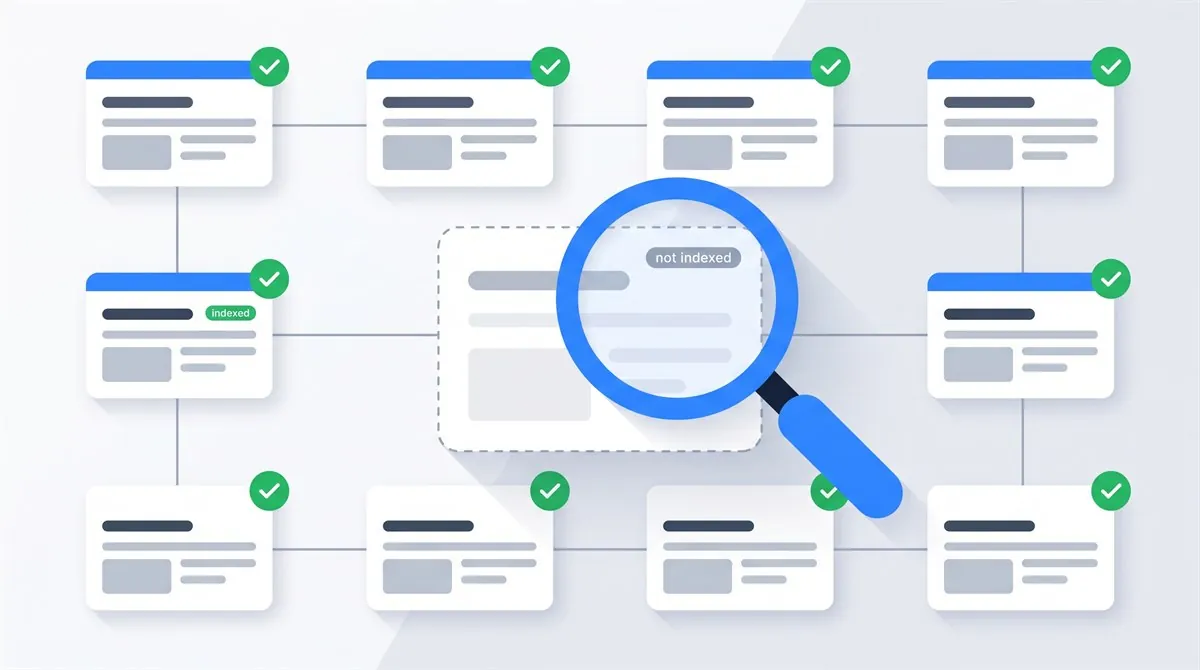
A page isn't indexed in Google for one of three reasons: Google hasn't found it, Google found it but hasn't crawled it yet, or Google crawled it and decided not to index it. The URL Inspection tool in Google Search Console tells you which of the three you're dealing with, and the exact status it reports points at the fix. This guide walks through every status, the real causes behind the two confusing ones, and what actually gets a stuck page indexed.
I diagnose indexing problems on client sites for a living, and most advice on this topic frustrates me. It explains two statuses out of fifteen, then tells you to "improve your content quality" and wishes you luck. So this guide does the opposite: the full status table, an honest split between technical causes and quality verdicts, and a list of popular fixes that do nothing, so you can stop doing them.
How Pages Get Into Google's Index
Every URL on the web moves through the same three-stage pipeline, and every "not indexed" status in Search Console is just a name for where your page stalled. If the stages themselves are new to you, start with how Google crawling, indexing and ranking work, then return here for the status-by-status diagnosis.
Discovered
Google learns the URL exists, through a link from a known page or your sitemap.
Crawled
Googlebot fetches the page, renders it and reads the actual content.
Indexed
The page is stored in Google's index and eligible to appear in results.
One expectation to set before you diagnose anything. Google's own documentation says it plainly: "Don't expect every URL on your site to be indexed." Filtered category variants, thin tag archives, redirect endpoints and true duplicates belong outside the index. The goal isn't 100% coverage. The goal is every page you care about, indexed, and nothing else.
Check If Your Page Is Indexed (the Right Way)
Most people check with a site: search, typing site:example.com/my-page into Google. That's fine as a thirty-second smoke test, but it's not reliable evidence. The site: operator isn't built to show the complete index, and a page missing from its results is sometimes indexed anyway.
The ground truth is the URL Inspection tool in Google Search Console. Paste the full URL into the search bar at the top and you get Google's actual record: whether the URL is on Google, when it was last crawled, which canonical Google selected, and, for non-indexed pages, the specific reason. Everything in this guide starts from that verdict.
No Search Console yet? Set it up first. It takes about fifteen minutes and it's the only way Google will tell you first-hand what's wrong. I wrote a full Search Console setup walkthrough covering verification and sitemap submission.
Every "Why Pages Aren't Indexed" Status, Explained
Search Console groups every non-indexed URL under one of these reasons, documented in Google's Page indexing report reference. Here's the full table, with what each status actually means and the move it calls for.
| Status | What it means | Your move |
|---|---|---|
| Discovered - currently not indexed | Google knows the URL but hasn't crawled it yet | Usually patience plus internal links. Full section below |
| Crawled - currently not indexed | Google crawled the page and chose not to index it | A content and duplication question. Full section below |
| Excluded by 'noindex' tag | The page carries a noindex directive | Remove it if unintentional. Check meta robots and the X-Robots-Tag header |
| Blocked by robots.txt | robots.txt forbids crawling the URL | Remove the Disallow rule for pages that should rank |
| Soft 404 | The page returns 200 but looks like an error or empty page to Google | Add real content, or return an honest 404 |
| Not found (404) | The URL returns 404 | Restore the page or redirect it. Fine if the removal is intentional |
| Server error (5xx) | The server answered Googlebot with a 500-level error | Fix hosting or application errors, then retest with URL Inspection |
| Redirect error | A redirect loop, an overlong chain, or a broken redirect target | Make every redirect a single clean hop |
| Page with redirect | The URL redirects somewhere else, so this address isn't indexed itself | Nothing. This is normal plumbing |
| Blocked due to unauthorized request (401) | The page demands a login | Remove the auth wall, or accept the page stays out |
| Blocked due to access forbidden (403) | The server refuses access, often a firewall or bot rule | Allow Googlebot through your WAF, CDN or hosting rules |
| Blocked due to other 4xx issue | Some other 4xx response | Fetch the URL yourself and fix whatever status you see |
| Alternate page with proper canonical tag | A variant correctly pointing at its canonical version | Nothing. Working as intended |
| Duplicate without user-selected canonical | Google sees duplicates and you haven't declared a preferred one | Add canonical tags, or consolidate the duplicates |
| Duplicate, Google chose different canonical than user | You declared a canonical, Google overruled it | Differentiate the pages or strengthen signals toward your choice |
Diagnose Your Page in 30 Seconds
Answer two quick questions and jump straight to the part of this guide that applies to your page. Runs entirely in your browser.
The page is in the index. If it's invisible for the searches you care about, that's a ranking and content question: a different fight, with different weapons. Start with the indexed-but-not-showing FAQ answer below.
Without it you're guessing, and every fix becomes a coin flip. My setup walkthrough gets you verified and submitting a sitemap in about fifteen minutes, then come back here with real data.
The page is in the queue. This is about crawl priority, not quality: common on new sites and weakly linked pages. See Discovered, currently not indexed for what speeds it up.
This one's a verdict, not an error. The fix lives in content value, duplication and internal signals. See Crawled, currently not indexed for the honest playbook.
Good news: these are the fixable ones, often in minutes. Work through the technical blockers to find whether it's a noindex, a robots.txt rule, a status code or a firewall.
Duplicate and canonical statuses mean consolidation, not panic. Check which canonical Google selected in URL Inspection, then see the canonical section below.
"Discovered - Currently Not Indexed": Stuck in the Queue
If URL Inspection already confirms indexing, switch to the indexed-but-not-ranking checklist to investigate search intent, queries and the page itself.
Google knows your URL exists, from your sitemap or a link, and simply hasn't fetched it yet. Nothing evaluated your content. Nothing rejected it. You're waiting in line.
Why pages sit in this queue:
- The site is new. Google crawls unproven domains cautiously, and the queue is longest exactly when you're most impatient. When I launched this site in July 2026, I watched its pages wait in line too. No penalty, no bug, just a new domain earning its crawl.
- Weak internal linking. A URL that only exists in your sitemap, with no links from real pages, looks unimportant. Google crawls what your own site treats as worth linking to.
- The server pushed back. If your site responded slowly or errored when Googlebot came around, Google backs off and postpones the crawl to protect your server.
- Thousands of low-value URLs are competing. Parameter variants, filter pages and thin archives can soak up Google's attention before it reaches the pages you care about.
And the myth to retire: for small sites, this is not a "crawl budget" problem. Google's own crawl budget guide says it's written for sites with over a million unique pages, or 10,000+ pages that change daily, and tells everyone else "you don't need to read this guide". If your site has 40 pages, Google isn't running out of budget for you. It just hasn't prioritized you yet.
What actually speeds it up:
- Link to the stuck page from your strongest indexed pages. Homepage and top articles first. Use descriptive anchor text and real HTML links.
- Submit a clean sitemap and keep it current; check it with Sitemap Scout for redirects and dead URLs. If you haven't submitted one, that's two minutes in Search Console.
- Request indexing for the few URLs that matter most. It bumps them up the queue. Details and limits below.
- Keep the server fast and stable. Googlebot's crawl rate adapts to how your site behaves under fetch.
- Earn a link or mention from a site Google already crawls often. Nothing accelerates discovery of a new domain like a path from an established one.
"Crawled - Currently Not Indexed": The Quality Verdict
This status stings because the technical work already succeeded. Google fetched your page, rendered it, read every word, and then declined to add it to the index. That's not a bug to fix. It's a judgment to change.
What earns pages this verdict, in the order I actually find them on audits:
- Near-duplicate content. Ten location pages with the city name swapped. Product variants with identical descriptions. Tag archives that repeat post excerpts. Google indexes one version and quietly declines the clones. The duplicate content guide covers when to merge, differentiate or canonicalize.
- Thin pages. A 150-word page competing against 2,000-word answers gives Google no reason to spend index space on it.
- Intent mismatch. The page technically mentions the topic but doesn't answer what searchers of that topic want, and Google's gotten good at noticing.
- No internal endorsement. If your own site barely links to the page, you've told Google it doesn't matter. It believed you.
- Site-level reputation. On sites with lots of thin, indexed junk, even decent new pages get held to a stricter standard.
The playbook that works: pick one search intent per page and make the page the obvious best answer for it, with specifics only you can provide. Merge near-duplicates into one strong URL and redirect the rest. Link to the page from your best content with anchors that describe it. Cut or noindex the genuinely thin pages so the remainder looks better by association. Then, after real changes, request indexing once and give it days.
Here's the uncomfortable context that explains why Google is picky about index space in the first place. Ahrefs analyzed about 14 billion pages in its 2023 search traffic study, and 96.55% of them get no organic traffic from Google at all.
So treat "Crawled - currently not indexed" on an important page as an early review of that page's chances. A page that can't convince Google's indexing systems was unlikely to convince searchers either. Fixing it for the index usually fixes it for rankings too.
The Technical Blockers: Found in Minutes, Fixed in Minutes
A noindex you forgot about
The classic. A staging setting ships to production, an SEO plugin checkbox stays ticked, and every page politely tells Google to go away. The directive hides in two places: a meta tag in the HTML head, or an X-Robots-Tag HTTP header. Check both:
# In the HTML head (View Source and search for it):
<meta name="robots" content="noindex">

# In the HTTP headers (terminal check):
curl -sI https://example.com/page | grep -i x-robots-tag
WordPress users: Settings, Reading, "Discourage search engines from indexing this site" is this exact failure with a friendly face. My noindex tag guide covers both placements and the traps, and TechSEO Inspector flags a noindex on any page in one click.
robots.txt is blocking the crawl
A leftover Disallow: / from staging, or a rule that catches more paths than intended. Test your page's path against https://example.com/robots.txt. I've shipped this mistake myself, so no judgment, but do check it early: it costs ten seconds. The robots.txt guide shows how to test a path.
One nuance most posts get wrong: robots.txt controls crawling, not indexing. A blocked URL can still end up in the index as a bare link if enough external pages point at it. If your goal is keeping a page out of Google, use noindex and let Google crawl it to see the directive. If your goal is ranking, make sure it's neither blocked nor noindexed.
Your canonical points somewhere else
A canonical tag says "treat that URL as the preferred version of this content". Copied templates spread wrong canonicals fast: I regularly find whole sections canonicalizing to the homepage. Two checks in URL Inspection: the canonical you declared, and the canonical Google selected. When they disagree, Google explains itself with one of the duplicate statuses, and the fix is either differentiating the pages or accepting Google's choice and consolidating. The canonical URL guide covers the signal hierarchy and implementation in detail.
Redirects, 404s and soft 404s
Redirected URLs leave the index by design, so "Page with redirect" needs no action. What needs action: redirect chains and loops (keep every redirect a single hop), pages that died accidentally (restore or redirect them), and soft 404s. A soft 404 is a page that returns 200 but reads like an error or empty shell: no products in the category, a JS app that renders nothing for the crawler, a "no results found" template. Give the page real content or an honest 404 status. The HTTP status codes guide covers each response in detail.
Login walls and overeager firewalls (401/403)
Googlebot browses anonymously. Anything demanding credentials returns 401 and stays out. The sneakier version is 403: a WAF, CDN rule or hosting security plugin that treats Googlebot as a hostile bot. If URL Inspection's live test fails while your browser loads the page fine, suspect the firewall before the CMS.
Requesting Indexing, the Right Way
The Request Indexing button in URL Inspection does one thing: it moves your URL up the crawl queue. Per Google's URL Inspection documentation, indexing after a request "typically takes only a day or so, but can take much longer in some cases", there's "a daily limit to how many index requests you can submit", and, the sentence people skip, "submitting a request does not guarantee that the page will appear in the Google index".
It's a priority pass, not a quality waiver. The page still faces the same evaluation, which is why requesting indexing for an unchanged "Crawled - currently not indexed" page does nothing except spend a request.
The sequence that works:
- Fix the actual cause first, using the sections above.
- Request indexing once for the fixed page.
- Give it days, not hours, before rechecking URL Inspection.
- For many pages at once, skip the button entirely. Google's advice: "If you want many pages indexed, try submitting a sitemap."
How Long Does Indexing Take?
Honest ranges, from Google itself. A new page or site "can take a week or so" to start being crawled and indexed, per Google's indexing documentation. John Mueller's version, quoted in Search Engine Journal: indexing "can take anywhere from several hours to several weeks", and he suspects "most good content is picked up and indexed within about a week".
Established sites live at the fast end. Brand-new domains live at the slow end, and no amount of button-pressing moves them to the front. The practical thresholds I use: recheck after one week, investigate after two to four weeks if an important page hasn't moved status, and treat anything stuck beyond a month, after real fixes, as a sign that something structural deserves an audit.
What Works and What Wastes Your Time
Indexing problems attract folk remedies. Here's the honest split:
Worth your time
- Internal links from your strongest indexed pages
- Consolidating near-duplicates into one strong page
- A clean, current sitemap submitted in Search Console
- One indexing request after a real fix
- Fixing what URL Inspection's live test actually reports
- Mentions and links from sites Google crawls daily
Wastes your time
- Requesting indexing for the same unchanged URL every day
- Paid "instant indexing" tools and ping services
- Changing the publish date without changing the content
- Deleting and resubmitting your sitemap to "refresh" it
- Buying junk backlinks to "force" a crawl (this one can hurt)
- Refreshing site:yourdomain.com every hour and despairing
The Indexing Triage Checklist
Run this before asking anyone for help
- Verdict pulled from URL Inspection, not from a site: search
- Exact status name noted from the Page indexing report
- No noindex in the HTML head or X-Robots-Tag header
- robots.txt doesn't block the URL's path
- Declared canonical and Google-selected canonical both checked
- URL returns a clean 200: no chains, no login, no soft 404
- Page is linked from at least one strong, indexed page
- URL is in the sitemap, and the sitemap shows "Success" in GSC
- Content honestly beats what's already ranking for the target query
- One indexing request submitted after fixes, then a week of patience
Page Still Stuck After All That?
Then something structural is going on, and that's my favorite kind of problem. If Search Console already shows the status, my Search Console indexing fix ($170, 2-day delivery) finds the cause and fixes it. Not sure where to start? My free review covers a small selection of your public pages, with up to five priority findings by email.
Request a free reviewPage Not Indexed: FAQ

I'm a developer who moved into technical SEO. I audit sites, then implement the fixes myself: indexing, Core Web Vitals, structured data, rendering. Indexing triage is the first thing I run on every stuck site. Request a free website review and I'll take a look personally.