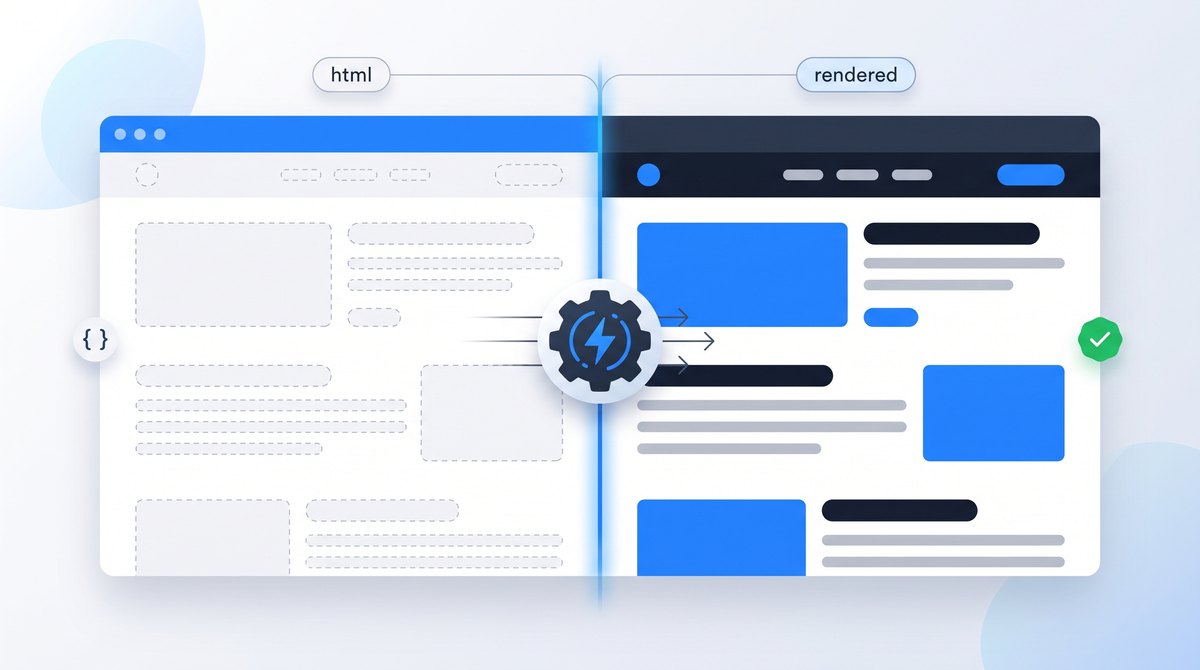
JavaScript SEO means making sure search engines can find, render and index content that your scripts create. Google runs JavaScript in a headless version of Chromium, but it doesn't click, scroll or wait forever, and it acts on some signals before rendering at all.
This guide is for site owners with a React, Vue, Angular or similar site, and for developers asked why pages aren't showing up. It assumes you know the basics of crawling and indexing; if not, start with how Google Search works.
How Google Processes JavaScript Pages
Google handles a JavaScript page in three phases: it crawls the URL and reads the HTML the server returns, renders the page in a headless version of Chromium to run the JavaScript, then indexes the rendered result. Google's JavaScript SEO basics describe the process. The important detail is the gap between the first and second phases. Pages wait in a render queue, which Google says can take a few seconds or longer.
Crawl
Googlebot fetches the URL and reads the server's HTML, including links, status code and robots rules.
Render
Headless Chromium runs the JavaScript and builds the final page, like a browser that never clicks.
Index
Google reads the rendered page, picks a canonical and stores the content for ranking.
So Google does render JavaScript, reliably on a healthy site. The study's authors note that rendering delays may differ on much larger sites with heavier scripts, and every other search engine and AI crawler has its own capabilities. JavaScript SEO isn't about whether Google can run your code. It's about making sure the important parts don't depend on things a crawler won't do.
Server, Static or Client Rendering?
How your pages are built decides what a crawler sees before any JavaScript runs. web.dev's rendering overview explains the trade-offs in depth; this table covers what matters for search.
| Approach | Initial HTML | Search risk |
|---|---|---|
| Static rendering | Complete pages built ahead of time. | Low. Content, links and metadata are present before any script runs. |
| Server-side rendering | Complete HTML generated per request. | Low, if the server returns correct status codes and doesn't time out. |
| Server rendering with hydration | Complete HTML, then JavaScript takes over interactivity. | Low to medium. Check that the hydrated page doesn't change titles, canonicals or content. |
| Client-side rendering | A near-empty shell; JavaScript builds everything. | Higher. Everything depends on rendering, and errors leave nothing to index. |
Google recommends server-side rendering, static rendering or hydration. It describes dynamic rendering, serving a pre-rendered copy only to bots, as a workaround it no longer recommends. If you're choosing a framework for a content or ecommerce site, pick one that can deliver the main content in the HTML.
Patterns That Hide Content From Search
Links without a real href. Google discovers pages by following a elements with a URL in href. Click handlers on spans, javascript: links and router components that don't output an href may never be followed. Google's crawlable links guidance shows the patterns.
<!-- Crawlable: a real URL in an href -->
<a href="/services/technical-seo/">Technical SEO</a>
<a href="/shop/shoes/" onclick="trackClick('shoes')">Shoes</a>

<!-- Not reliably crawlable -->
<a onclick="goTo('/services/technical-seo/')">Technical SEO</a>
<a href="javascript:goTo('shoes')">Shoes</a>
<span data-href="/shop/shoes/">Shoes</span>
<a routerLink="/shop/shoes">Shoes</a>
Fragment URLs for routing. Google can't reliably treat the part after # as a separate page, so views like /#/products/shoes and /#/about risk being seen as the homepage. Google's basics recommend the History API, which gives each view a real path.
Content that waits for an action. Google Search doesn't interact with pages the way people do. It won't click or scroll, according to Google's lazy-loading guidance, and its renderer declines permission prompts and clears cookies and local storage between page loads, according to the JavaScript troubleshooting guide. Text revealed only after a click on "Read more", products loaded only when someone scrolls, or content shown only after a location prompt may never be seen. Lazy loading that triggers when content becomes visible is fine.
Soft 404s. A client-rendered app usually returns status 200 for every URL, then shows "Product not found" with JavaScript. Google sees a successful page with almost no content. Return real error codes from the server, or add a noindex to error views as a fallback.
// When the API says the product doesn't exist, don't render an empty
// "not found" view with a 200 status. Either send the visitor to a URL
// the server answers with a real 404...
if (!product) {
  window.location.href = '/not-found';  // server returns 404 here
}

// ...or, if you can't, keep the error view out of the index.
if (!product) {
  const meta = document.createElement('meta');
  meta.name = 'robots';
  meta.content = 'noindex';
  document.head.appendChild(meta);
}
Robots rules and canonicals changed by JavaScript. If the server HTML says noindex, Google may skip rendering, so a script that removes it won't help. The noindex rule above works because it adds a restriction rather than removing one. Google also advises against using JavaScript to change the canonical URL to something different from the HTML. Keep both in the server response. The noindex guide covers the details.
Blocked or broken resources. If robots.txt blocks the scripts or API endpoints the page needs, Google renders a broken page. A JavaScript error early in the bundle can stop everything after it. These show up in the URL Inspection live test.
How to Test What Google Sees
- Compare source and DOM. View the page source (Ctrl+U) to see the server HTML, and the DevTools Elements panel to see the rendered page. If your main text, links or title appear only in the second, you depend on rendering.
- Run the URL Inspection live test. In Search Console, inspect the URL, select Test live URL and view the tested page. You get the rendered HTML, a screenshot, blocked resources and JavaScript console messages.
- Use the Rich Results Test without Search Console access. It renders the page with Google's systems and shows the rendered HTML, even when the page has no structured data.
- Disable JavaScript as a quick check. In DevTools, open the command menu (Ctrl+Shift+P), type "Disable JavaScript" and reload. What's left is roughly what crawlers without rendering see.
- Search for a unique sentence. Once the page is indexed, search Google for an exact sentence that only appears after JavaScript runs. Absence isn't proof of a problem, but presence confirms the content was indexed.
To speed up the first step, paste this snippet into the DevTools Console. It downloads the page's raw HTML again and prints a table comparing it with the rendered page.
(async () => {
  const res = await fetch(location.href, { cache: 'no-store', credentials: 'omit' });
  const rawDoc = new DOMParser().parseFromString(await res.text(), 'text/html');
  const words = doc => {
    const body = doc.body ? doc.body.cloneNode(true) : null;
    if (!body) return 0;
    body.querySelectorAll('script, style, noscript, template').forEach(el => el.remove());
    return body.textContent.split(/\s+/).filter(Boolean).length;
  };
  const pick = doc => ({
    title: doc.title || '(none)',
    canonical: doc.querySelector('link[rel="canonical"]')?.getAttribute('href') || '(none)',
    robots: doc.querySelector('meta[name="robots"]')?.getAttribute('content') || '(none)',
    h1: doc.querySelector('h1')?.textContent.trim().slice(0, 70) || '(none)',
    links: doc.querySelectorAll('a[href]').length,
    words: words(doc)
  });
  console.table({ raw: pick(rawDoc), rendered: pick(document) });
})();
Large differences in words or links, or a different title, canonical or robots value, show what depends on JavaScript. The raw request comes from your browser, so a server that treats Googlebot differently can return something else; URL Inspection is the authority for what Google received. The snippet only reads the page and changes nothing.
Fixes in Order of Impact
- Put critical content in the server HTML. Main text, headings, product details and internal links should exist before JavaScript runs. Move to server or static rendering for templates that matter for search.
- Use real links and real URLs. Every page you want indexed needs a unique path and at least one
a hrefpointing to it. Our internal linking guide covers the structure. - Return correct status codes. Missing content should produce a 404 or 410, moved content a redirect. See the HTTP status codes guide.
- Keep metadata stable. Titles, descriptions, canonicals and robots rules should be correct in the server response, not patched in later.
- Let Google fetch resources. Don't block JavaScript, CSS or required API paths in robots.txt, and use versioned file names so Google doesn't render with outdated cached files.
- Watch speed. Large bundles delay rendering for visitors too, affecting LCP and INP.
JavaScript SEO checklist
- Main content and headings appear in the page source, not only in the DOM
- Every indexable view has its own URL without
#routing - Navigation and pagination use
aelements with realhrefvalues - Missing pages return 404 or 410, not a 200 with an error message
- Robots rules and canonicals come from the server and aren't removed or changed by scripts
- Robots.txt allows the scripts, styles and API paths needed to render
- Content loads on visibility, not after clicks, scrolls or permission prompts
- URL Inspection's live test shows the full content in the rendered HTML
Frequently Asked Questions
Related Guides
- Understand crawling, rendering and indexing.
- Build crawlable internal links.
- Use noindex without JavaScript surprises.
- Diagnose pages that aren't indexed.

I'm a developer who moved into technical SEO. I trace search problems through crawling, rendering, indexing, templates, content and performance, then implement the fixes instead of handing over a generic export. Request a free website review and I'll review your site personally.