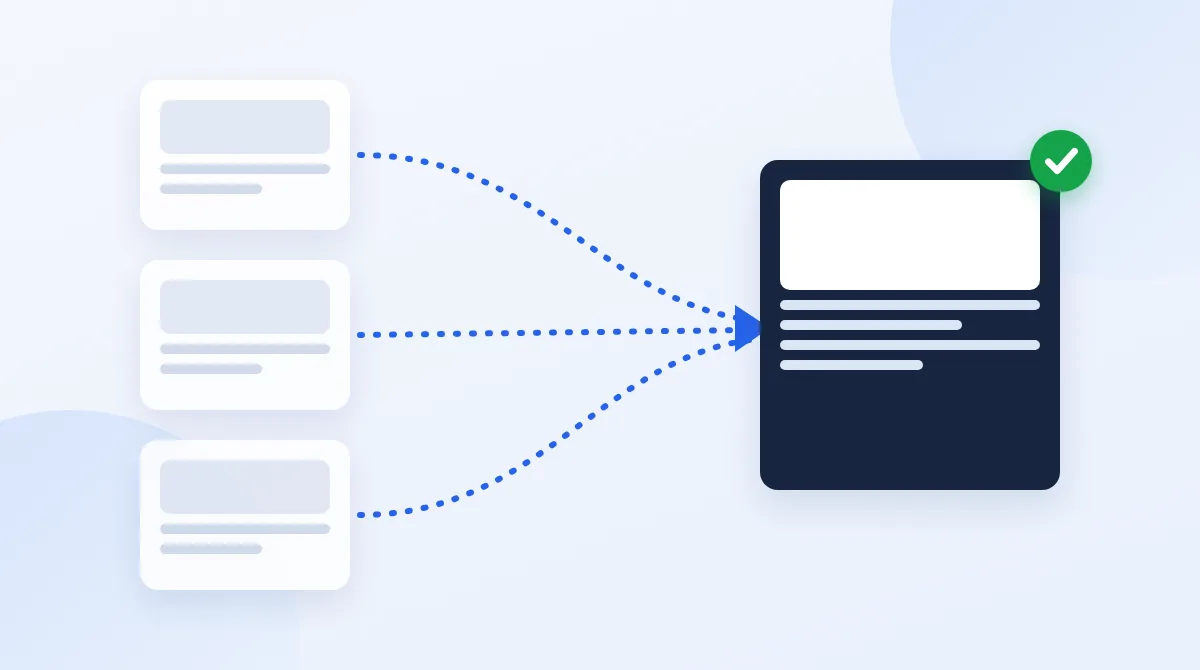
"Alternate page with proper canonical tag" means Google found a page whose canonical tag points to a different URL, agreed with it, and indexed that other URL instead. Most of the time there's nothing to fix. Act only if a page in this list is one you want to appear in search on its own, or if its canonical points to the wrong page.
The number in this report can look alarming, especially when it rises. It usually reflects how many duplicate URLs Google has found, not how many pages you're losing.
What the Status Means
A canonical tag tells Google which URL is the main version of a page. When a page carries <link rel="canonical"> pointing to another URL, it's telling Google: "index that one, not me."
Google's Page indexing report help describes this status for alternates such as an AMP page or a mobile version that points to its main page. It says the page "correctly points to the canonical page, which is indexed, so there is nothing you need to do". In practice, you'll also see it for other variants that point elsewhere:
- URLs with tracking parameters, such as
?utm_source=newsletter - Sorted or filtered versions of a category page
- Print versions of an article
- Product variants that share one main product page
Google's help page also notes that alternate language pages aren't detected by Search Console, so hreflang versions won't normally show up here.
Is It a Problem?
Look at the URLs in the list and sort them by what they are.
| What the URL is | Expected? | What to do |
|---|---|---|
| A URL with tracking or session parameters | Yes | Nothing. If there are many, check you aren't linking to them internally |
| A sorted or filtered category view | Yes | Nothing, unless a filter combination deserves its own page. Then give it a self-referencing canonical |
| An AMP, print or mobile version | Yes | Nothing |
| A page you want to rank on its own | No | Fix its canonical so it points to itself |
| Many different pages, all pointing to the homepage | No | A template bug. Fix the canonical in the template |
| Paginated pages pointing to page 1 | Usually no | Give each page in the series its own self-referencing canonical, so the items on later pages can still be found |
The first three rows cover most sites. On the four sites I run, the status doesn't appear at all: they're static sites that don't link to parameter or filter URLs, so Google rarely finds duplicates to report.
How to Check One URL
- Inspect the URL in Search Console's URL Inspection tool, and open the Page indexing section.
- Compare the two canonicals. "User-declared canonical" is what your tag says. "Google-selected canonical" is what Google chose. For this status, they should match.
- Open the canonical target. It should load with a 200 status, be indexable, and show the same main content. The free TechSEO Inspector shows the canonical and robots tags on any page.
- Ask whether this page should rank by itself. If yes, its canonical is wrong. If no, you're done.
When It Is a Problem, and the Fix
- The canonical points to the wrong page. Change it so the page points to itself, or to the right main version. The canonical URL guide covers the details.
- A template sets the same canonical on every page. This is the most damaging version, because it can hide whole sections of a site. Fix it in the template, then spot-check several page types.
- Your own links point to the variants. If menus, buttons or sitemaps link to parameter URLs, Google keeps finding them. Link to the clean URL instead, and list only clean URLs in your sitemap.
- The page should redirect instead. If nobody needs the old variant to load, a 301 is cleaner than a canonical. See canonical tag vs. 301 redirect.
After a fix, request indexing for the pages that should now rank on their own. You don't need to validate this status in Search Console, because it isn't an error.
Similar Statuses Compared
| Status | What happened | Usually |
|---|---|---|
| Alternate page with proper canonical tag | You named another URL as the main version, and Google agreed | Fine |
| Duplicate without user-selected canonical | You didn't name a main version, so Google picked another URL itself | Add a canonical tag so the choice is yours |
| Duplicate, Google chose different canonical than user | You named a main version, and Google disagreed | Check which page is actually better, and make your signals consistent |
The page not indexed guide covers every other status in the report.
Not Sure Whether Your Canonicals Are Right?
If important pages are missing from Google and you can't tell why, my Search Console indexing fix ($170, 2-day delivery) finds the cause and fixes it. For a first look, request a free website review, and I'll email up to five priority findings or next steps.
Request a free website reviewFrequently Asked Questions
Related Guides
- Set canonical URLs correctly.
- Choose between a canonical tag and a 301 redirect.
- Handle duplicate content.
- Every page indexing status and its fix.

I'm a developer who moved into technical SEO. I trace search problems through crawling, rendering, indexing, templates, content and performance, then implement the fixes instead of handing over a generic export. Request a free website review and I'll review your site personally.