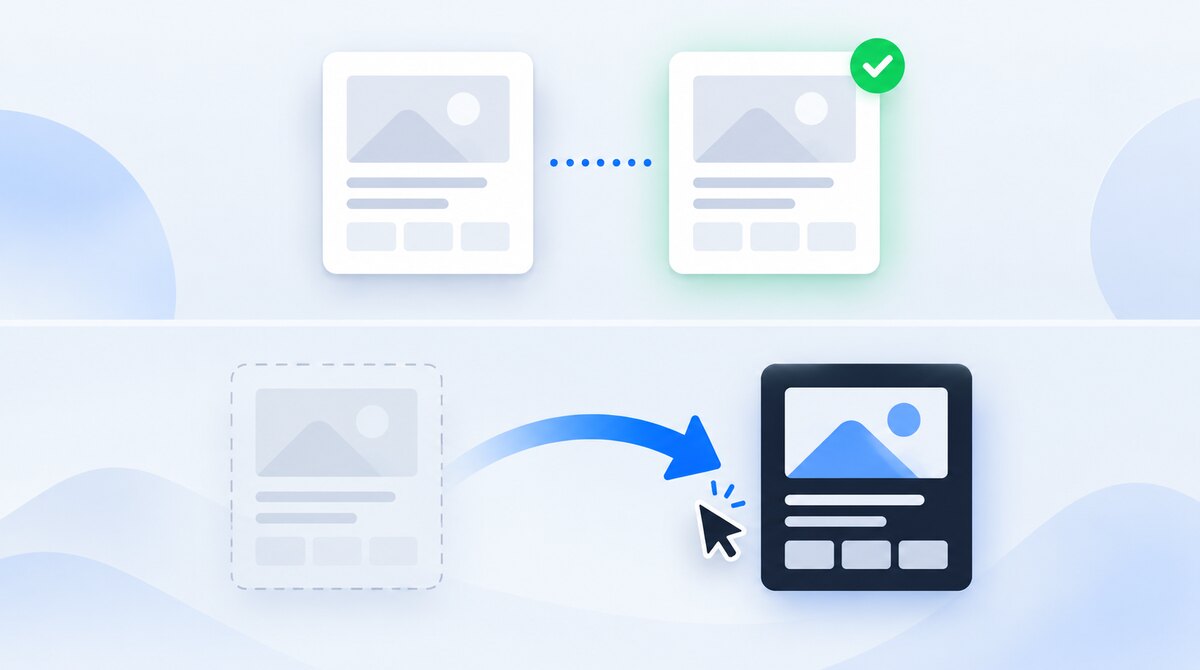
Use a 301 redirect when the old URL should send visitors to its replacement. Use a canonical tag when a duplicate or near-duplicate page must remain accessible, but you want another URL to represent it in search. The first changes the route a visitor takes; the second describes a relationship between pages.
The phrase "canonical redirect" often mixes these two jobs together. Before changing a tag or server rule, ask a simpler question: should someone opening the old URL still be able to use that page? This guide turns that answer into a practical choice, with fictional example URLs you can adapt to your site.
The Difference That Matters
| Question | Canonical link element | 301 redirect |
|---|---|---|
| What happens to the visitor? | They stay at the requested URL. | Their browser follows the response destination. |
| Does the source page remain usable? | Yes, in the normal duplicate-page setup. | No. The old address sends the visitor onward. |
| Where is it configured? | Usually the page’s HTML head. | Usually the server, hosting settings or a CMS redirect manager. |
| What should I check first? | Whether the content is equivalent and both versions need to exist. | Whether the replacement satisfies the original page’s purpose. |
Google treats permanent redirects and rel="canonical" as strong canonicalization signals, not two competing tricks for increasing rankings. Keep your preferred URL consistent across links and sitemaps. A canonical declaration doesn't force Google to choose it. See Google's canonicalization guidance.
In HTML, a canonical is a <link> element, not a <meta> element. For the broader rules, including PDFs and pagination, read the canonical URL implementation guide. Here we'll focus on choosing and checking the right treatment.
Choose by What the Visitor Should Experience
| Situation | Practical choice | Reason |
|---|---|---|
| A guide has moved to a new address | Permanent redirect | A bookmarked old address should reach the replacement. |
| A print-friendly version must stay available | Canonical to the main article | Readers can still print while the main article is your preferred search version. |
| Two overlapping guides have been combined | Redirect retired guides after checking the merged content | Each old reader should find a useful replacement, not a thin summary. |
| A filter produces a genuinely different useful product selection | Assess it separately | Sharing a template is not enough to make two pages duplicates. |
| An expired page has no relevant replacement | Consider a real 404 or 410 | Sending everybody to the homepage does not replace the missing answer. |
| A temporary outage needs a temporary destination | Assess a temporary redirect | Do not label a short-term change as a permanent move. |
For a shop, write down what customers lose if you redirect a variant: a selected size, stock information or a useful filter state. For an article, compare the actual answers, not just its title. These checks prevent a technically valid configuration from becoming a poor user experience.
Example: Keep a Print Version Available
Imagine a fictional site with a normal guide at https://example.com/guides/packing/ and a print-friendly copy at https://example.com/guides/packing/print/. Both contain the same advice. The print version removes navigation and keeps a layout readers use.
In this setup, a redirect would defeat the print view's purpose. Put the following preference in the <head> of the print page, and use the same self-referencing declaration on the main guide:
<link rel="canonical" href="https://example.com/guides/packing/">Then test both browser journeys: the normal guide must stay normal, and the print view must still print. List the main guide in the sitemap and use it for ordinary article links. Keep a clearly labeled print link where readers need that alternate view. This example is about equivalent content, not permission to canonicalize unrelated pages.
Example: Move an Outdated Guide
Now imagine /packing-tips-2024/ has been replaced by /guides/packing/. You have checked that the new guide still answers the useful questions from the old one. There is no reason to keep a second readable copy at the dated address.
The old URL should return a response like this. This is a response illustration, not code to paste into an HTML file:
HTTP/1.1 301 Moved Permanently
Location: https://example.com/guides/packing/
The browser follows the Location header. The new page should then return its own successful response and show the expected content. MDN documents the 301 response and Location header.
Use your platform's redirect facility, or ask a developer to add an exact source-to-destination rule. Avoid pasting a generic server rule without checking the hosting setup: a broad match can redirect other pages or create a loop.
Google recommends permanent server-side redirects for permanent moves; both 301 and 308 are permanent status codes. Temporary redirects serve a different purpose. Read the official redirect guidance or our HTTP status code guide before choosing a code.
When a Canonical Points to a Redirect
A crawler warning such as "canonical points to redirect" describes an indirect route. For example:
/packing/print/ --canonical--> /packing-tips-2024/
/packing-tips-2024/ --301--> /guides/packing/
The first page still names yesterday's address as preferred. If the final guide really is its equivalent, update the print page to name /guides/packing/ directly. This makes the relationship easier to maintain and test.
- Follow the route. Record every destination, including changes of host or protocol.
- Read the final page. A successful response is not proof that the content matches.
- Check its indexing settings. A final page with
noindexis not a sensible preferred search destination. - Update the originating template. Fix all affected print pages or variants, not just the sample URL from the warning.
- Retest links and the sitemap. They should not keep promoting the retired address.
Don't automatically replace every canonical with whatever URL a redirect happens to reach. A misconfigured rule might end at the homepage or an error screen. Google's canonical troubleshooting guide explains how conflicting declarations can lead to unexpected choices.
An Implementation Plan for Your Developer
A short mapping document is more useful than a request to "fix duplicate content." For each group, record the source URL, preferred URL, intended visitor behavior, reason, owner and verification date. Include a small sample of pages that must not change.
| Source | Requested behavior | Acceptance check |
|---|---|---|
| /packing-tips-2024/ | 301 to /guides/packing/ | Opening an old bookmark reaches the updated guide. |
| /guides/packing/print/ | Remain available; canonical to /guides/packing/ | Print layout still works and names the main guide. |
| /guides/cabin-baggage/ | Leave independent | Distinct baggage advice remains accessible at its own URL. |
Before release, save the current configuration and agree how to reverse an incorrect rule. Test one representative group first. After release, update menus, article links and sitemap entries to the final preferred addresses. For larger URL moves, Google advises keeping redirects for at least a year; keeping them longer can also help people using old links. See its site-move checklist.
How to Check the Result
1. Check the actual browser route
Open an old address in a private window. Watch the address bar and inspect the document request in your browser's Network panel. For a redirect, record the status and destination. For a retained alternate, confirm the page stays open. If results differ from your change, investigate cached responses and hosting/CDN rules before editing again.
Developers can inspect response headers with curl. These commands request headers using a normal GET and discard the body; the second follows redirects. Replace the fictional URL before running them:
curl -sS -D - -o /dev/null https://example.com/packing-tips-2024/
curl -sS -L --max-redirs 10 -D - -o /dev/null https://example.com/packing-tips-2024/
2. Check the destination and retained alternate
Inspect their HTML head and any canonical HTTP headers. Confirm the URL is intentional, not a leftover staging domain or previous slug. Check the page content, response status and robots settings together. A green response code alone is not a complete SEO test.
3. Check Google's processed version separately
In Search Console, inspect the URLs and compare the user-declared and Google-selected canonical where available in the indexed data. The live test can check current accessibility, but it cannot tell you which canonical Google will ultimately select. Google's URL Inspection documentation explains this distinction. Record the last crawl date so you don't mistake an older snapshot for a failed release.
Implementation checks and search outcomes are separate. A correct redirect is testable now; recrawling, canonical selection and any ranking changes happen later. Use the Search Console performance guide to compare equal periods without interpreting tiny samples as a trend.
Mistakes to Avoid
- Using canonical tags as a migration shortcut. Old bookmarks still open the old page. If you want visitors moved, solve that navigation problem.
- Redirecting distinct pages just because their keywords overlap. Compare the answers and audience before merging.
- Adding noindex to force a canonical choice. Exclusion and consolidation are different goals. Review the duplicate-content decision process first.
- Fixing one URL but leaving its template unchanged. The next publish can recreate the same problem.
- Expecting a guaranteed traffic increase. Cleaner signals do not create demand, stronger content or better rankings on their own.
Unsure Which URLs to Keep or Redirect?
Request a free website review. I'll look at a small selection of public pages and email up to five priority findings or next steps. Larger URL mapping and implementation work can be scoped separately.
Request a free website reviewFrequently Asked Questions
Related Guides
- Implement canonical URLs correctly.
- Understand redirects and other HTTP status codes.
- Create a sitemap of your preferred URLs.
- Check your titles, meta tags and indexing settings.

I'm a developer who moved into technical SEO. I trace search problems through crawling, rendering, indexing, templates, content and performance, then implement the fixes instead of handing over a generic export. Request a free website review and I'll review your site personally.